


DCIM software for Singapore data centres. One live view of your power, space, cooling and assets, powered by Sunbird.
eNOVA implements Sunbird DCIM, dcTrack and Power IQ, so your operations, facilities and IT teams plan capacity, monitor power and energy, and manage every cabinet from one screen. Scoped, deployed and supported locally.

Deployment, longevity and reporting figures are published by Sunbird DCIM. eNOVA is your Singapore implementation and support channel.
What is DCIM software?
Data Centre Infrastructure Management (DCIM) is software that unifies IT and facilities data into a single, live model of your data centre, every asset, watt, rack unit and network port in one place. The term was coined by Gartner. In practice, it replaces the spreadsheets, Visio drawings and tribal knowledge most teams still run on.
Instead of three teams holding three versions of the truth, DCIM gives operations, facilities and IT one shared digital twin. You plan capacity, monitor power and cooling, manage moves and changes, and report on efficiency, all from the same dataset.
Definition: Gartner, which originated the term DCIM, and Sunbird DCIM. Original eNOVA diagram.
What DCIM actually does.
Sunbird delivers DCIM as two integrated platforms: dcTrack to plan and manage, Power IQ to measure and monitor. Together they cover the full stack.
- One searchable record of every device, to rack-unit and port level
- Add equipment from a pre-built make and model library
- Track ownership, location, connections and lifecycle
- End the spreadsheet-and-Visio guesswork
- Space, power, cooling and network ports on one screen
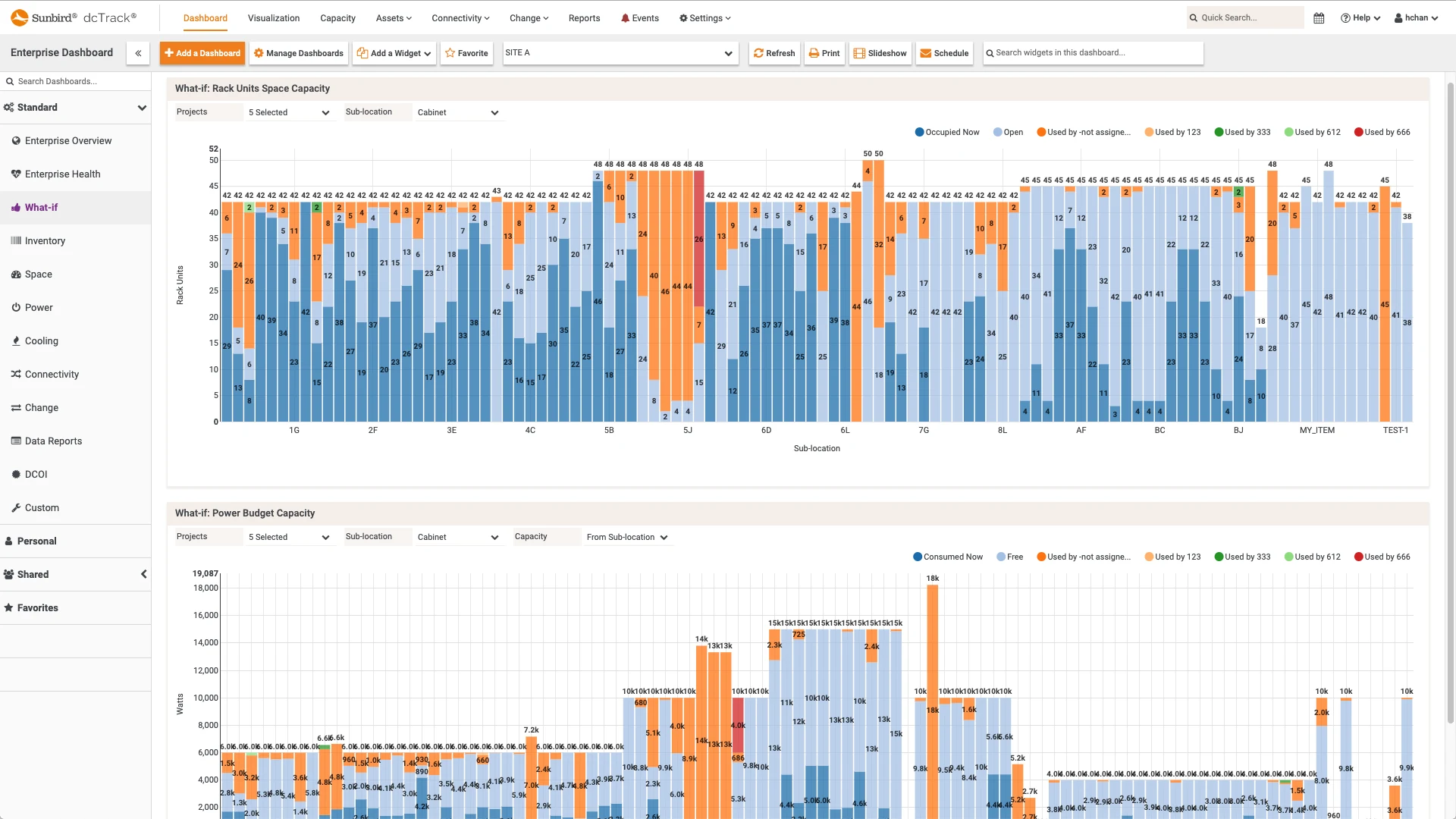
- What-if analysis before you commit a single move
- Reclaim stranded capacity instead of over-building
- Intelligent search for the right rack and U-space
- Real-time power across PDUs, UPSs, busways and meters
- Surfaces stranded power so you can reclaim capacity
- Calculates PUE and supports department bill-back
- Browser-based and vendor-neutral
- Temperature, humidity and cooling efficiency
- Floor-map heat visualisation to find hot spots
- ASHRAE-based analytics to spot free-cooling headroom
- Catch thermal risk before it throttles equipment
- Structured moves, adds and changes with approvals
- Replaces email and spreadsheets for every MAC
- Integrates with ServiceNow and ticketing tools
- A clean audit trail of every change
- Browser-based 3D model of floor, rows and cabinets
- Overlay power, capacity and thermal data on the map
- Over 100 reports and dashboards out of the box
- Multi-site visibility from one screen
Capabilities per Sunbird Power IQ and dcTrack product documentation at sunbirddcim.com.
Power IQ and dcTrack.
dcTrack is your system of record and plan. Power IQ is your live measurement layer. Power IQ feeds measured load into dcTrack, so capacity decisions use real data, not nameplate estimates.
Measure and monitor power
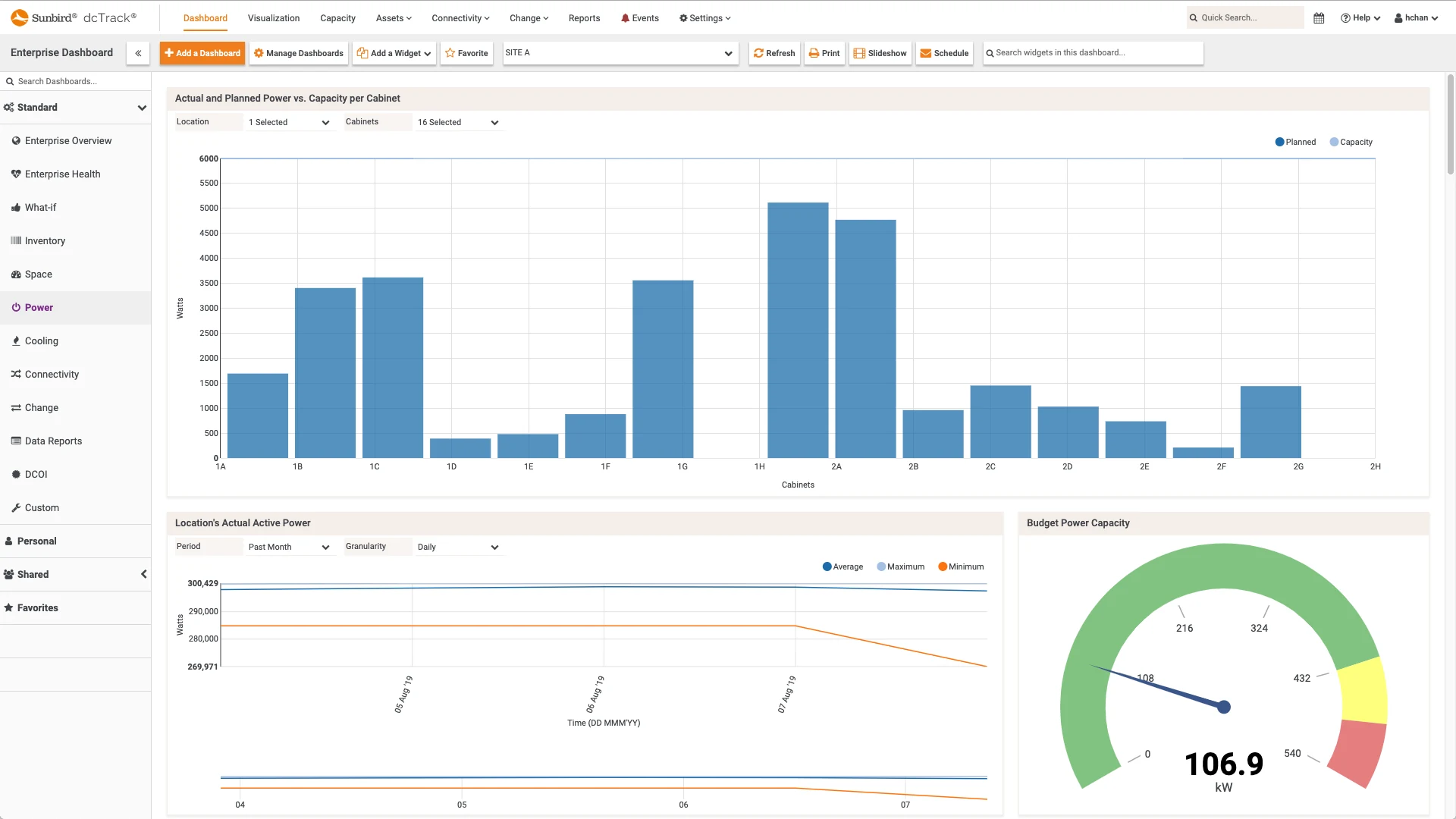
Power IQ gives you real-time visibility of the entire power chain, rack PDUs, UPSs, RPPs, busways, branch circuits and meters, in one browser-based console. It surfaces stranded power you can reclaim, calculates PUE for energy reporting, and applies ASHRAE-based analytics to your cooling.
- Real-time power and environmental monitoring
- PUE calculation and customer or department bill-back
- Stranded-capacity and cooling analytics
- Vendor-neutral across mixed hardware
Plan and manage capacity
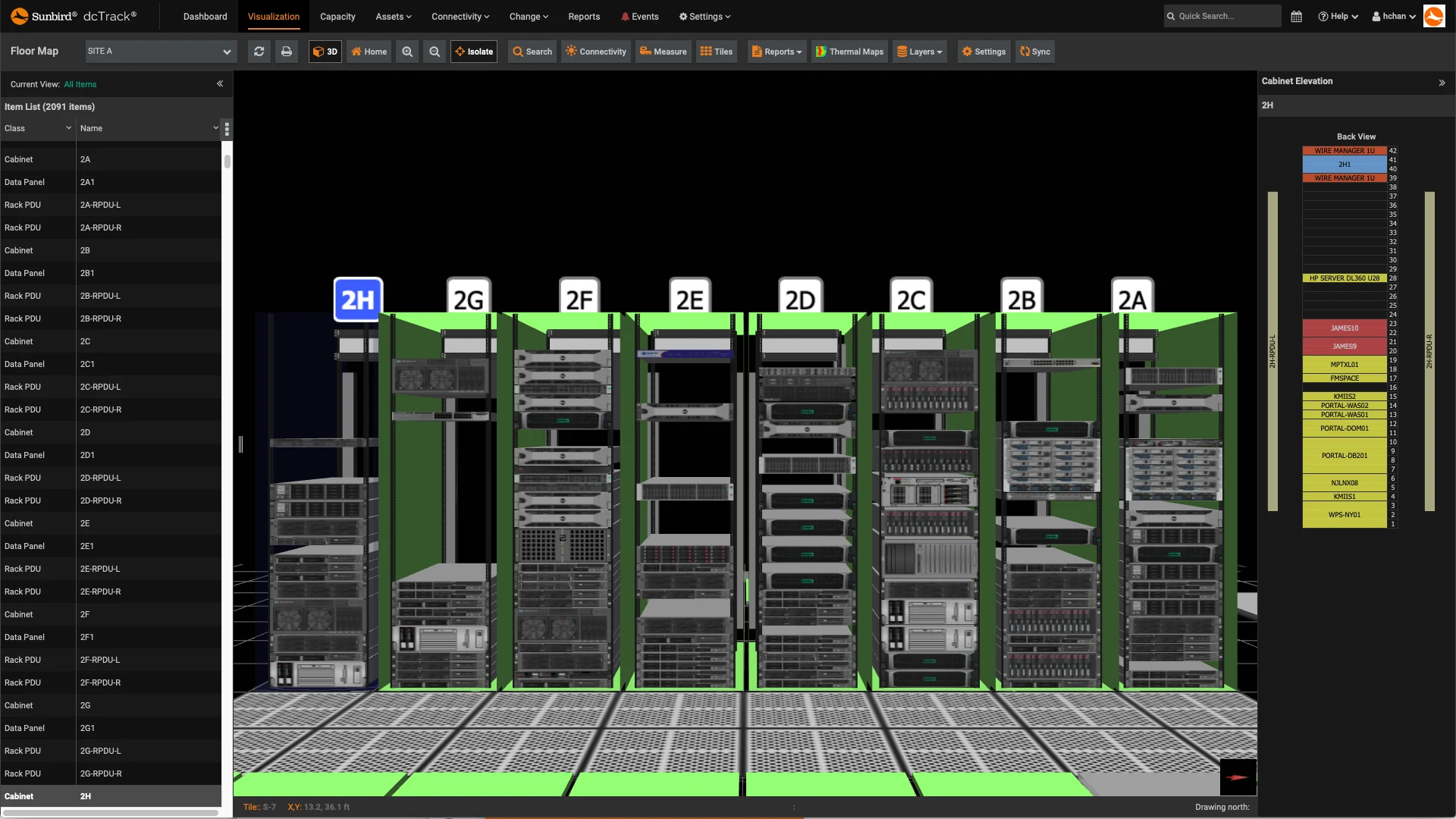
dcTrack is the digital twin of your data centre: one inventory of every asset, capacity planning across space, power, cooling and network ports, change workflow for every move, and a browser-based 3D model of the whole floor, with over 100 reports ready to run.
- Asset inventory to rack-unit and port level
- What-if capacity planning and forecasting
- Change management with approval workflow
- 3D visualisation and 100+ built-in reports
Four forces making DCIM essential.
Power, space and cooling are routinely reserved and never used. DCIM surfaces the slack so you reclaim it instead of building more. Cisco reports saving around US$40,000 a month per cage by consolidating with Sunbird.Source: Sunbird Cisco case study.
Power is still the leading cause of major outages, and they are expensive. In Uptime Institute's 2025 survey, more than half of operators said their last serious outage cost over US$100,000, and roughly one in five topped US$1 million.Source: Uptime Institute, Annual Outage Analysis 2025.
Industry-average PUE has barely moved in five years, sitting near 1.5. Measuring power and PUE is the first step to improving it, and increasingly a reporting obligation.Source: Uptime Institute; PUE defined by The Green Grid and ISO/IEC 30134-2.
Typical racks still draw 5 to 9 kW, but AI racks now reach 40 kW and beyond, with NVIDIA GB200 NVL72 designs above 100 kW. You cannot eyeball whether your power and cooling will take the next deployment. DCIM models it.Source: Uptime Institute; NVIDIA.
Trusted by data centre teams worldwide.
Sunbird reports more than 2,000 DCIM deployments across enterprise, telecom, finance and government. Two examples, in the customers' own words:
Figures are published by Sunbird DCIM and reflect the named customers' own reported results. Sources: Sunbird Cisco and Vodafone case studies at sunbirddcim.com.
DCIM, delivered and supported locally.
Software is only half the project. eNOVA scopes, supplies, implements and supports Sunbird DCIM for data centre, enterprise and government teams across Singapore, and integrates it with Raritan intelligent power and rack hardware. Sunbird DCIM was spun out of Raritan in 2015, so its software integrates natively with Raritan PDUs and sensors.
We map your estate, data sources and goals, then size dcTrack and Power IQ to fit.
Local procurement of Sunbird licences alongside the PDUs, sensors and racks they monitor.
Deployment, device onboarding, integrations and dashboard setup, done with your team.
Local handover, training and ongoing support, in your timezone.
Common questions about DCIM.
Ready to see your data centre in one view?
Talk to eNOVA about Sunbird DCIM, dcTrack and Power IQ, scoped and supported for Singapore.