


How Remote PC Manageability Can Help Shape the Future of Work


Organizations need better and faster PCs for their remote workforce as well as best-in-class remote PC management capabilities. Let’s explore why Intel vPro® Enterprise for Windows serves their needs the best.
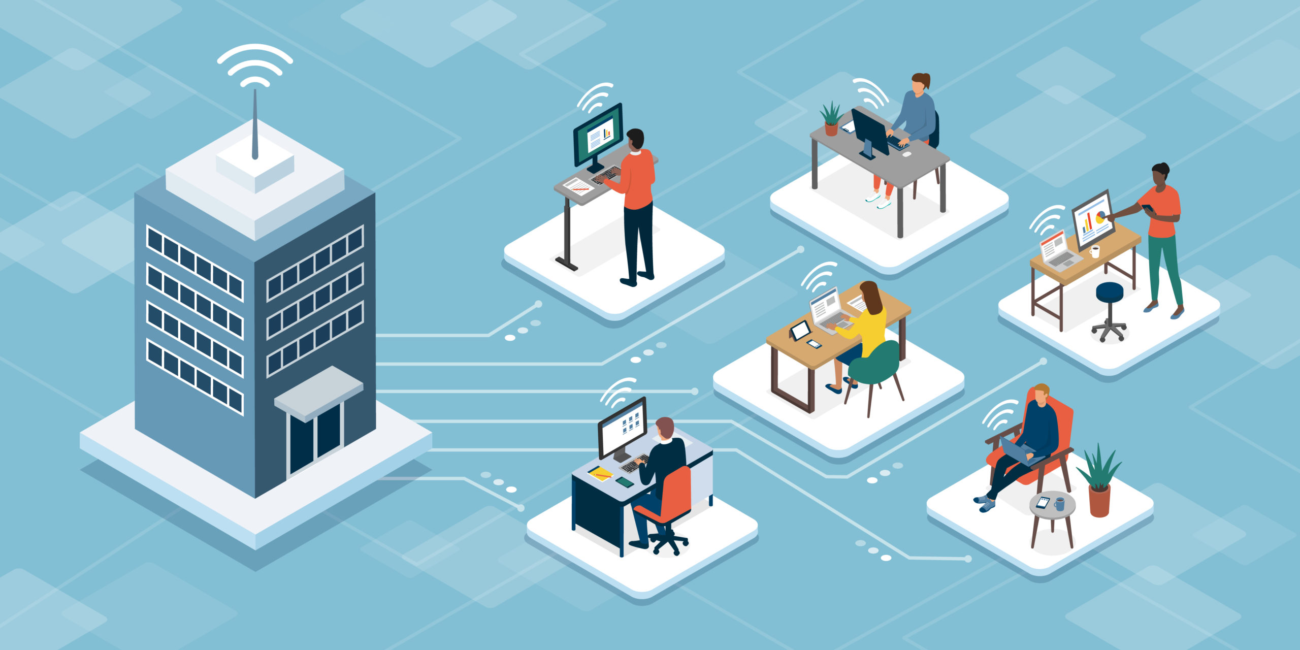
While the pendulum has been swinging back towards normalcy lately, it’s also becoming clear that the way we work will never be quite the same as it once was. The approach to business meetings has changed, as has the portfolio of applications that office workers rely on. Even our vocabulary regarding work has changed. We rarely referenced the term “hybrid work” in 2019, nor did an employee complain of Zoom fatigue during working hours.
The world of work has changed forever and so have worker expectations. While employees may not exclusively work from home as they did in 2020, today’s digital workers have new expectations regarding “how they work.” These expectations extend into the type of PC they need to succeed in this new era of hybrid work.
A new way of working
Hybrid work is quickly becoming a norm, and 87% of employees. say this new way of work is an improvement. By 2025, an estimated 70% of the workforce will be working remotely at least five days per month. That’s probably a conservative estimate. A McKinsey study. from June 2022 revealed that 58% of respondents in their survey worked from home at least once a week. In addition, 87% said that when the opportunity to work with greater flexibility arises, they will take it. This desire for flexibility to work from multiple work sites can be an opportunity for companies to attract and retain hard-to-find talent.
Remote work doesn’t just refer to the location of one’s workspace. It also entails how people work. The digital intensity of hybrid work is far different than working at the traditional office. According to a Microsoft Study. that compared collaborative digital work trends involving Microsoft 365 in February 2021 and February 2020:
- Users spent more than twice as much time on Microsoft Teams, along with an increased meeting time of ten minutes
- The average Teams user sent 45% more chats per week and 42% more after business hours
- There was a 66% increase in the number of people working on documents
- Users sent over 40 billion more emails
This intense reliance on their digital devices establishes the need for a new type of device, one that’s better suited for the remote work era.
A hybrid work environment demands more secure and productive PCs
IT decision-makers (ITDMs) recognize this. In a survey of more than 600 IT decision-makers conducted by Forrester and commissioned by Intel, 87% said they are thinking about PC device purchasing differently. With so many employees demanding the ability to work remotely, one could say they have little choice.
As many as 71% of the surveyed ITDMs stated that their company would increase their investment in PCs to support a hybrid work environment, with nearly two-thirds upgrading to a higher-performance device. About 50% agreed that employees should be able to switch physical locations while working. However, the PC selection process goes far beyond a preference for form factors.
So, can a remote PC management platform help workers optimize their productivity in a hybrid work setup?
Why the Intel vPro® Platform Suits the Need to Support Remote PCs the Best
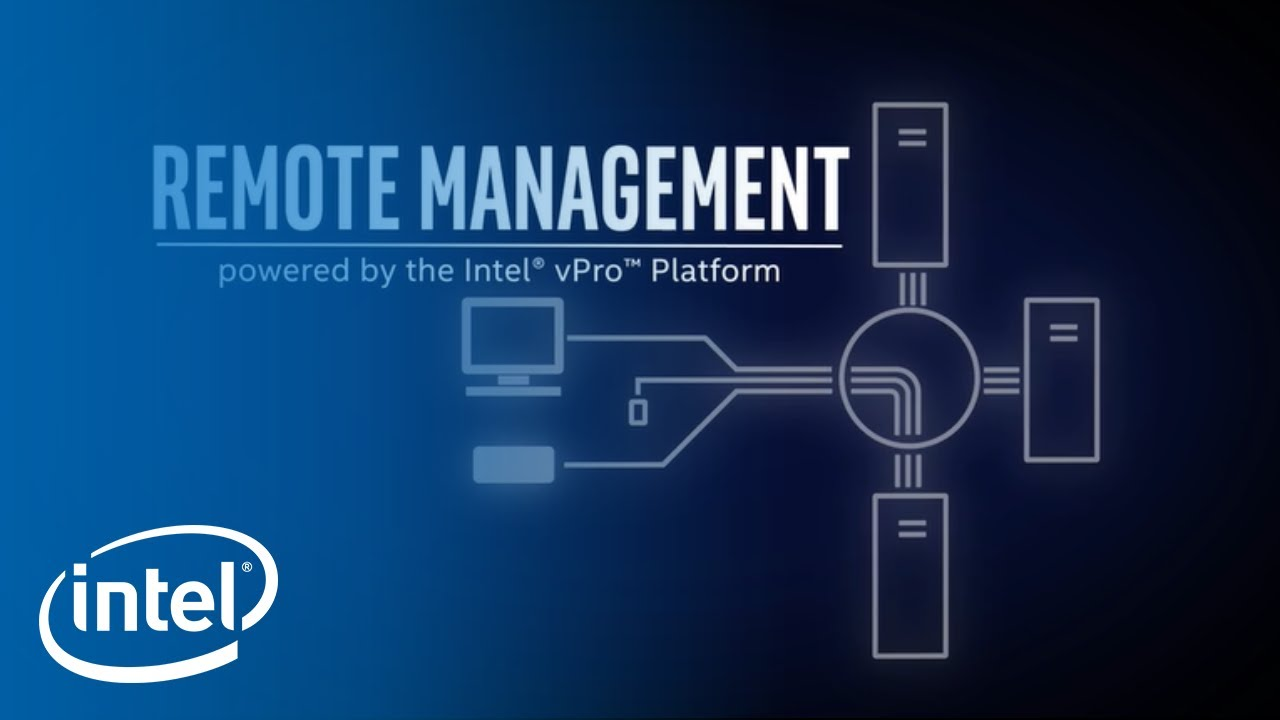
According to the Forrester study, nearly four in ten ITDMs want to purchase computing devices that reduce the IT burden. That’s what the Intel vPro platform does. Let’s start with a teaser. With PCs built on Intel vPro® Enterprise for Windows, IT can turn on a computer from a remote location, manually or via automation, regardless of its current power status.
Pretty impressive, but why would this be important? It allows IT support to turn on a remote PC during off hours to install essential updates or new software. Once completed, the PC can be shut down or put to sleep. Ensuring that IT can perform system maintenance during off hours reduces employee downtime while ensuring that the system continues to function optimally and securely.
The ability to boot a PC from virtually anywhere or gain out-of-band remote access is due to the extensive effort that Intel put into designing Intel vPro® Enterprise for Windows. From the outset, Intel set out to address three of the top IT challenges of the hybrid work era:
- Deliver business PC performance for remote workers
- Maintain cybersecurity to ensure a protected user experience
- Manage devices remotely regardless of location
A “work from anywhere world” is of little value if remote users and their computers can’t be supported in the same fashion as on-premise systems. Forcing users to return to the office in the event of a blue screen error or a software upgrade is disruptive to the workflow. That’s why remote work must include remote manageability. Aside from replacing hardware components, the Intel vPro platform gives IT support the ability to perform any troubleshooting or maintenance task on a computer regardless of its location or power status.
Intel® AMT and Intel® EMA: Taking remote support to the next level
Two primary components make all this possible. The first is Intel Active Management Technology (Intel AMT), a set of hardware and firmware technologies that exceeds the Desktop and mobile Architecture for System Hardware (DASH) standard. Intel AMT, available exclusively on Intel vPro® Enterprise for Windows, makes remote “out-of-band” management possible, and it’s the only PC platform that can support remote remediation and return a device to a known good state over both wired and wireless connections, even if the PC’s operating system is in a failed state.
Then there’s the Intel Endpoint Management Assistant (Intel EMA), which introduces cloud management functionality to allow remote support personnel to configure and support your Intel AMT devices regardless of location. It enables a setup where thousands of employees work from multiple workspaces, all supported by a single IT team. The standout functionality in Intel EMA is that it enables remote support teams to access devices beyond the firewall. Additionally, it grants access to configured devices via the cloud, even if they are beyond the corporate firewall.
KVM over IP support for remote machines
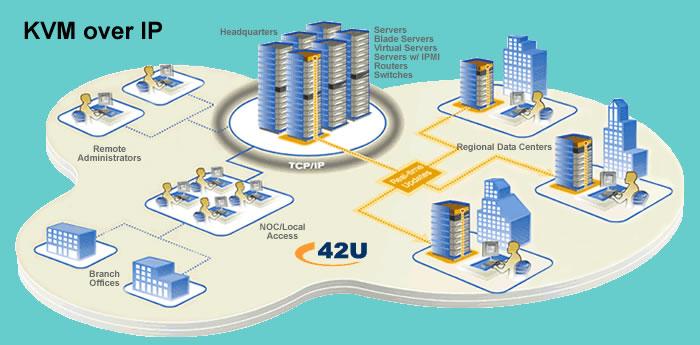
Imagine your IT support team pulling up any remote PC using a persistent KVM session. This KVM over IP experience allows support technicians complete control over a PC, even below the operating system level. Like any KVM session, technicians have full control over the remote device’s keyboard, video, and mouse controls. Help desk personnel can see what’s occurring on the user’s desktop in real-time to understand the problem and aid in the troubleshooting processes. KVM sessions are maintained while the device is rebooting and can be used to access the BIOS.
PCs built on Intel vPro® Enterprise for Windows can be manually restarted by someone remotely in the same way a local user would by holding the power button, even in the event of a failed OS. You can also perform redirect reboots. A remote technician can view the reboot process over the remote KVM session and boot the computer into a separate OS image using virtual disks mounted to their machine. They could also mount a local ISO file to the remote machine as well.
KVM over IP with Intel vPro® Enterprise for Windows allows desktop admins to repair and update the OS or driver set on a remote PC. They can assign automatic wake-up times that accommodate maintenance windows, so PC maintenance schedules continue regardless of location. Support personnel can even manage unattended systems such as retail point-of-sale devices.
Better performance and reduced costs

While the support capabilities of the Intel vPro platform are impressive, it still must be able to accommodate the unique needs of remote digital work. Remote users critically rely on video communication, and Intel’s focus on improved video performance has paid off, with 41% of users citing faster office productivity during a video call.
An overwhelming 92% of ITDMs said their PCs are more secure with the Intel vPro Platform. Almost the same number felt that the platform helped them respond to employee needs better after the quarantine. 74% of ITDMs also stated that the Intel vPro platform reduced PC management costs.
Intel vPro® Enterprise for Windows is equipped to handle the high-performance needs of remote workers, thanks to the 12th Gen Intel® Core™ processor family. 12th Gen Intel Core processors support DDR5 and LPDDR5 memory and feature an architecture consisting of performance cores and efficient cores optimized for both single-threaded and multithreaded software environments.
12th Gen Intel Core processors integrate Intel® Wi-Fi 6E Gig+ and mobile platforms and feature the new Intel® Connectivity Performance Suite, which optimizes wireless performance for use cases such as smooth videoconferencing. (Note: The Intel® Connectivity Performance Suite is available for Windows OS only.)
While performance stats are vital, cost savings and ROI must be part of the equation. Intel delivers on this front, too, as 74% of ITDMs found that the Intel vPro platform reduced PC management costs. According to a Total Economic Impact™ (TEI) study conducted by Forrester Consulting and commissioned by Intel, a midmarket organization with 800 PCs avoided $87,000 annually in terms of IT costs by adopting Intel vPro platform security and management tools and features. The organization also enjoyed employee productivity benefits of $25,000 per year.
Conclusion
Organizations purchase PCs based on their spec sheets, but the specifications need to account for not just traditional speeds and feeds but also professional-grade specifications to meet the needs of modern hybrid work. They must also ensure ways to support, maintain, and troubleshoot them to reduce downtime and increase employee productivity. Employees are embracing the flexibility of hybrid work, so it is up to organizations to put the right PC in their hands.
Frequently Asked Questions
What is remote PC manageability and why does it matter for hybrid workforces?
Remote PC manageability refers to the ability to monitor, update, secure, and troubleshoot employee computers from a central location, regardless of where workers are physically located. It’s critical for hybrid workforces because 70% of employees will work remotely at least five days per month by 2025, making it impossible to rely on in-person IT support. Without proper remote management tools, IT teams face increased security vulnerabilities, slower incident response times, and higher operational costs.
How does Intel vPro Enterprise differ from standard PC management solutions?
Intel vPro Enterprise provides hardware-level security and remote access capabilities that work independently of the operating system, allowing IT to manage and repair PCs even when they’re powered off or the OS has failed. Standard PC management solutions typically operate at the software level and require the device to be powered on and connected, making them less reliable for remote troubleshooting. This makes vPro particularly valuable for organizations managing geographically dispersed workforces across multiple regions.
What are the main security risks of managing remote PCs, and how can we mitigate them?
Remote PC management creates security risks including unauthorized access to employee devices, data interception during remote sessions, and increased vulnerability to cyber attacks on unmanaged endpoints. Mitigation strategies include implementing hardware-based security features like Intel vPro’s built-in security, requiring multi-factor authentication for remote access, using encrypted connections, and maintaining strict access controls with role-based permissions. Regular security audits and endpoint detection and response (EDR) tools are also essential for identifying threats in real-time.
How much time and cost can remote PC management tools save an IT team?
Remote PC management can reduce IT support costs by 30-40% by enabling technicians to resolve issues without traveling to employee locations or having workers travel to IT departments. Studies show that remote troubleshooting reduces average resolution time from hours to minutes, and proactive monitoring prevents problems before they impact productivity. For organizations with 500+ remote employees, the annual savings from reduced travel, labor, and downtime can easily exceed six figures.
What remote PC management capabilities do Singapore and APAC IT teams need most?
APAC IT teams managing sprawling geographic regions need robust remote management capabilities that support time zone flexibility, work across multiple languages and compliance frameworks, and handle varying internet connectivity. Key requirements include out-of-band management (working over separate network channels), batch deployment across multiple sites, and compliance with local regulations like PDPA in Singapore, GDPR in EU operations, and varying data residency requirements. Hardware-level management solutions are particularly valuable given the diverse IT infrastructure across APAC countries.
Can remote PC management tools work with older hardware, or do we need to replace our entire fleet?
Most modern remote management solutions require hardware from the last 5-7 years to function optimally, though some features may work with older devices. Intel vPro and similar enterprise solutions are built into most business-class PCs from 2016 onwards, but budget constraints often mean organizations need a phased upgrade approach. IT managers should audit their current hardware inventory and prioritize replacement for business-critical roles first, while using interim solutions for legacy systems until budget allows for full fleet modernization.
Published by
eNOVA Technologies is Singapore's specialist distributor for data centre IT management solutions, representing Adder, Guntermann & Drunck, Raritan, Sunbird, ZPE Systems, and VuWall across Singapore and Southeast Asia. Our technical content is produced with AI assistance and reviewed by our in-house team before publication.
This article was produced with AI assistance and reviewed by the eNOVA Technologies team. All technical claims are verified against manufacturer documentation.